Launch Announcement (Auto Layout)
A 1280×720 release announcement card built from a single JSON spec with zero hand-placed text coordinates. Everything on the left side lives in one auto-layout group; brand values come from a theme block; and the spec is linted with diagnose() before rendering.
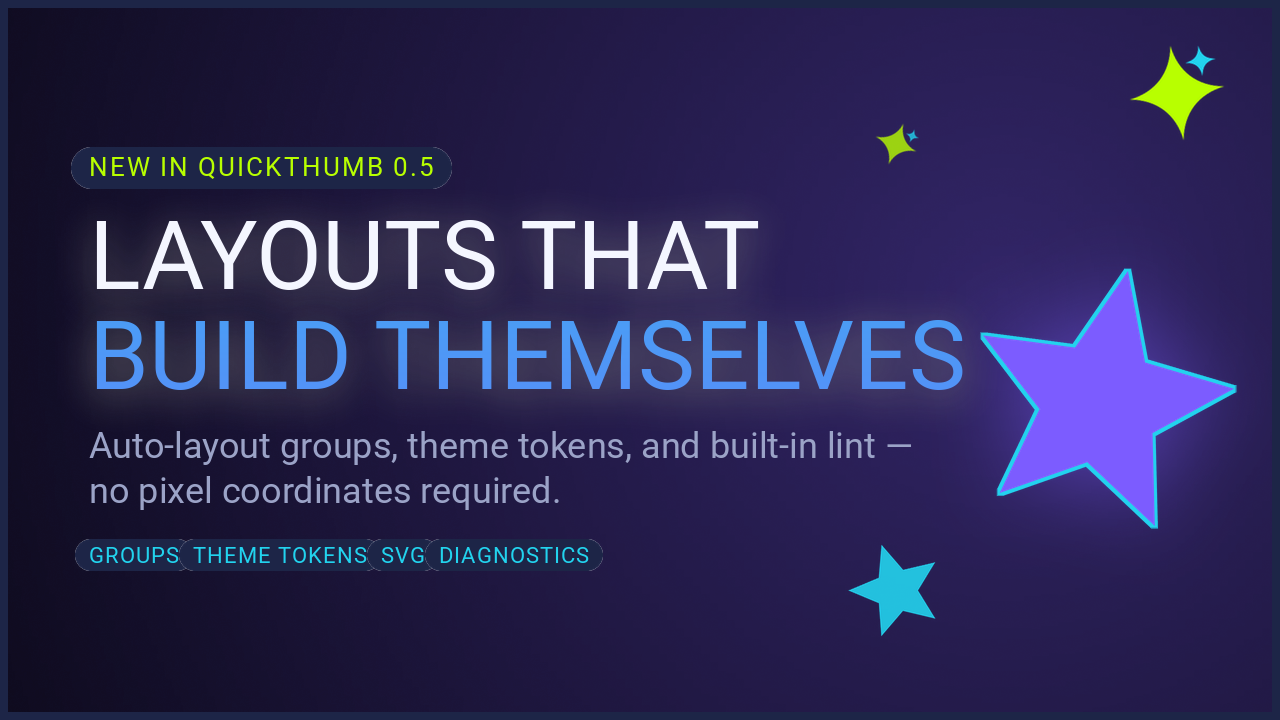
This is the most feature-dense recipe in the cookbook — it exercises auto-layout groups, theme tokens, star shapes, SVG layers, grain, gradient-filled text, and diagnostics in one spec.
How it works
from quickthumb import Canvas

with open("launch_announcement.json", encoding="utf-8") as f:
    canvas = Canvas.from_json(f.read())

# Lint before rendering — same checks as `quickthumb lint`
for finding in canvas.diagnose():
    print(f"[{finding.severity}] layer {finding.layer_index}: {finding.code} — {finding.message}")

canvas.render("launch_announcement.png")
The JSON spec
{
  "width": 1280,
  "height": 720,
  "theme": {
    "colors": {
      "ink": "#0B1021",
      "panel": "#1D2547",
      "accent": "#7C5CFF",
      "accent_glow": "#7C5CFF66",
      "accent_fade": "#7C5CFF00",
      "cyan": "#22D3EE",
      "lime": "#B8FF00",
      "text": "#F4F6FF",
      "muted": "#9BA3C7"
    },
    "sizes": { "title": 96, "subtitle": 36, "badge": 26, "chip": 22 }
  },
  "layers": [
    {
      "type": "background",
      "color": "$theme.colors.ink",
      "effects": [{ "type": "grain", "intensity": 0.05, "monochrome": true, "seed": 7 }]
    },
    {
      "type": "background",
      "gradient": {
        "type": "radial",
        "stops": [["$theme.colors.accent_glow", 0.0], ["$theme.colors.accent_fade", 1.0]],
        "center": [0.78, 0.4]
      }
    },
    {
      "type": "shape",
      "shape": "star",
      "position": ["86%", "56%"],
      "width": 270,
      "height": 270,
      "color": "$theme.colors.accent",
      "align": "center",
      "rotation": 12,
      "star_points": 5,
      "inner_radius": 0.45,
      "effects": [
        { "type": "glow", "color": "$theme.colors.accent", "radius": 42, "opacity": 0.55 },
        { "type": "stroke", "width": 3, "color": "$theme.colors.cyan" }
      ]
    },
    {
      "type": "shape",
      "shape": "star",
      "position": ["70%", "82%"],
      "width": 96,
      "height": 96,
      "color": "$theme.colors.cyan",
      "align": "center",
      "rotation": -18,
      "star_points": 5,
      "inner_radius": 0.45,
      "opacity": 0.9
    },
    {
      "type": "svg",
      "path": "assets/images/spark.svg",
      "position": ["92%", "13%"],
      "width": 96,
      "align": "center",
      "rotation": -8
    },
    {
      "type": "svg",
      "path": "assets/images/spark.svg",
      "position": ["70%", "20%"],
      "width": 44,
      "align": "center",
      "rotation": 20,
      "opacity": 0.8
    },
    {
      "type": "group",
      "direction": "column",
      "gap": 26,
      "position": ["7%", "50%"],
      "align": ["left", "middle"],
      "children": [
        {
          "type": "text",
          "content": "NEW IN QUICKTHUMB 0.5",
          "size": "$theme.sizes.badge",
          "color": "$theme.colors.lime",
          "weight": 800,
          "letter_spacing": 2,
          "effects": [
            { "type": "background", "color": "$theme.colors.panel", "padding": [10, 18], "border_radius": 24 }
          ]
        },
        {
          "type": "text",
          "content": [
            { "text": "LAYOUTS THAT\n", "color": "$theme.colors.text", "weight": 900 },
            {
              "text": "BUILD THEMSELVES",
              "color": "$theme.colors.cyan",
              "weight": 900,
              "fill": {
                "type": "linear",
                "angle": 90,
                "stops": [["$theme.colors.cyan", 0.0], ["$theme.colors.accent", 1.0]]
              }
            }
          ],
          "size": "$theme.sizes.title",
          "line_height": 1.08,
          "effects": [
            { "type": "shadow", "offset_x": 0, "offset_y": 6, "color": "#00000088", "blur_radius": 18 }
          ]
        },
        {
          "type": "text",
          "content": "Auto-layout groups, theme tokens, and built-in lint —\nno pixel coordinates required.",
          "size": "$theme.sizes.subtitle",
          "color": "$theme.colors.muted",
          "line_height": 1.35
        },
        {
          "type": "group",
          "direction": "row",
          "gap": 14,
          "children": [
            {
              "type": "text",
              "content": "GROUPS",
              "size": "$theme.sizes.chip",
              "color": "$theme.colors.cyan",
              "weight": 700,
              "letter_spacing": 1,
              "effects": [
                { "type": "background", "color": "$theme.colors.panel", "padding": [8, 14], "border_radius": 18 }
              ]
            },
            {
              "type": "text",
              "content": "THEME TOKENS",
              "size": "$theme.sizes.chip",
              "color": "$theme.colors.cyan",
              "weight": 700,
              "letter_spacing": 1,
              "effects": [
                { "type": "background", "color": "$theme.colors.panel", "padding": [8, 14], "border_radius": 18 }
              ]
            },
            {
              "type": "text",
              "content": "SVG",
              "size": "$theme.sizes.chip",
              "color": "$theme.colors.cyan",
              "weight": 700,
              "letter_spacing": 1,
              "effects": [
                { "type": "background", "color": "$theme.colors.panel", "padding": [8, 14], "border_radius": 18 }
              ]
            },
            {
              "type": "text",
              "content": "DIAGNOSTICS",
              "size": "$theme.sizes.chip",
              "color": "$theme.colors.cyan",
              "weight": 700,
              "letter_spacing": 1,
              "effects": [
                { "type": "background", "color": "$theme.colors.panel", "padding": [8, 14], "border_radius": 18 }
              ]
            }
          ]
        }
      ]
    },
    {
      "type": "outline",
      "width": 8,
      "color": "$theme.colors.panel"
    }
  ]
}
The runnable version ships in the repository as examples/launch_announcement.py with its spec file.
Key techniques
Theme tokens instead of repeated hex values
Every color and font size appears exactly once, in the theme block. The eight chip styles reference $theme.colors.panel and $theme.sizes.chip — rebranding the card is a one-block edit. Note that "size": "$theme.sizes.badge" resolves to a number: whole-string token references keep their native JSON type.
One group, zero coordinates
The badge, two-line headline, subtitle, and chip row are children of a single column group anchored at ["7%", "50%"] with align: ["left", "middle"]. None of the four text blocks has a position — if the subtitle grows to three lines, the whole stack re-flows and stays vertically centered.
Nested row group for the chip rail
The chip row is itself a group with "direction": "row" nested inside the column. Each chip is just text with a background effect — the row group handles the spacing via "gap": 14.
Star shapes with glow
The hero visual is a star shape (star_points: 5, inner_radius: 0.45) with a glow and a thin cyan stroke. A smaller, rotated companion star adds depth without another asset.
SVG sparkles
The two sparkles are the same spark.svg file rasterized at different sizes, rotations, and opacities — vector layers stay crisp at any scale. Requires quickthumb[svg].
Grain for texture
{ "type": "grain", "intensity": 0.05, "seed": 7 } on the base background adds subtle film grain so the flat dark fill doesn't band. The fixed seed keeps renders byte-stable.
Lint before render
The script runs canvas.diagnose() first. During development, the headline originally collided with the big star — diagnose() flagged it as low-contrast before a human ever looked at the image. The shipped spec lints clean:
You can do the same from the terminal:
See Diagnostics & CLI and JSON Schema & AI Workflow for the underlying reference.